Create a post
Upload, record or write, then adapt the work for the channels you choose.
Create posts, images, short-form videos, adverts, captions, voice-over and campaign variations in the Soclo app, using your brand context and the approval controls you choose.
✦Use yourself on camera, an actor you have permission to use, or a synthetic character. Synthetic actors must never be presented as real customers.
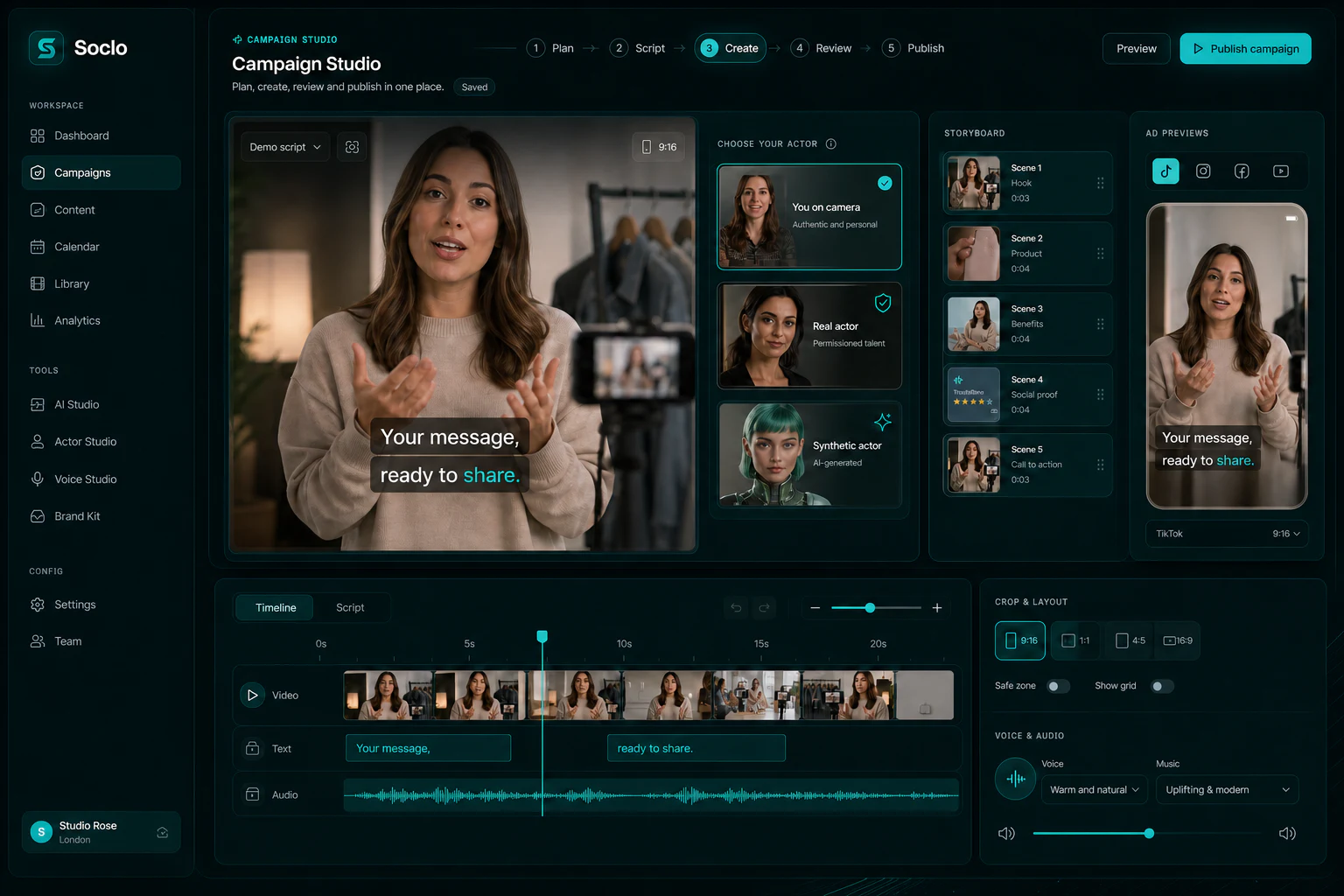
Upload, record or write, then adapt the work for the channels you choose.
Move from the campaign brief to script, scenes, sound and a publish-ready edit.
Create an image, video or caption when original production is the useful route.
Create voice, music and sound effects with a fixed credit price shown before you pay.
You do not need to learn a new operating system. Soclo asks for the information needed for the next useful step.
Choose the campaign goal and the audience before choosing a format.
Use yourself, a properly authorised real actor or a synthetic character appropriate to the concept.
Create the script, visuals, captions, voice-over, timing and channel variants in one project.
Keep approval-first or let an existing Autopilot permission handle routine publishing.
Soclo keeps strategy, creative production, editing and publishing close together. That means the owner can begin with the offer and the business result instead of deciding which isolated generator to open first.
Real-person likeness work carries stronger requirements than ordinary image creation. The person must have permission to be used, the permission must be recordable and withdrawable, and routes that do not meet the launch safety gate stay off. Soclo does not offer voice cloning.
Synthetic actors are useful for concepts that do not need a real customer or staff member. They cannot be used as fake testimonials, passed off as a named real person or used to make an unsubstantiated regulated claim. The public reporting route is open to non-users as well as customers.
Yes. You can record yourself and use Soclo’s planning, editing, captioning, voice-over and publishing tools around that footage.
Soclo supports synthetic-character concepts and is launching real-person actor routes only behind consent, verification and record controls. Availability can vary while those gates are completed.
No. Soclo uses preset text-to-speech voices and does not offer voice cloning.
Free to start · 3-day free trial on Starter and Pro monthly
Start free